
 Search
Managing your health using digital tools
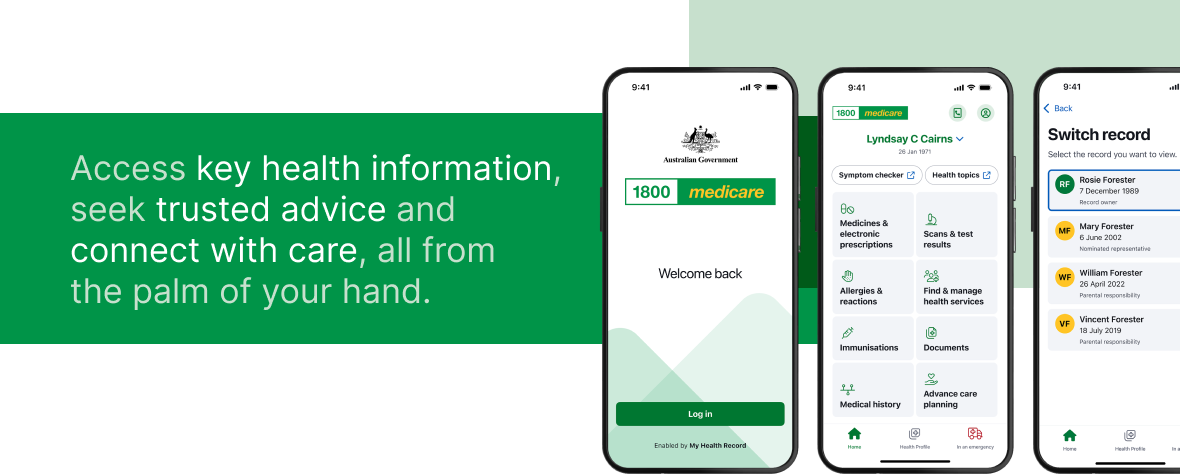
My Health Record is a one stop shop for key health information that you can access anywhere from the palm of your hand via the 1800MEDICARE app. Electronic prescriptions and an Active Script list provide convenient and quick access to medicines prescribed by your healthcare providers. Learn more about the free, national digital health tools available to you.




Electronic prescriptions
Electronic prescriptions, also known as eScripts, replace the need for paper prescriptions. Your doctor sends an SMS or email to your mobile phone that links to a QR code ‘token’ which contains your prescription.
When you present the token to your pharmacist, they will scan your phone and then dispense your prescription. It’s that easy.
You can also forward your token to someone else to collect the medicine of your behalf.
If you have repeats on your prescription, your pharmacy will send you a new token by SMS or email when required.
If you accidentally lose or delete your eScript, you can ask your doctor to resend it. Or if it’s a repeat, your pharmacy can resend it.

Active Script List
An Active Script List holds all your electronic prescriptions and repeats in one place online. Your pharmacist can directly access your Active Script List so you don’t need to keep track of prescription tokens on your phone.
Over 85% of Australian pharmacies have access to Active Script Lists. To set up your list, just visit your pharmacy with your phone and 100 points of ID.
Once set up, your doctor can send electronic prescriptions straight to your Active Script List. Your pharmacy can then dispense your medicine to you or a person you have authorised.
To request removal of a pharmacy’s access to your Active Script List or to discontinue with Active Script List, email info@medicationknowledge.com.au.
My Health Record
An online summary of your key health information that is part of a national system and protected by legislation. Information in My Health Record can be securely accessed by yourself, your nominated representatives and your healthcare providers anytime, anywhere, including in an emergency.
In your My Health record, you can access your medical history, prescription records, pathology and imaging results, immunisation records and discharge summaries from hospitals. You have control over what information is uploaded to or withheld from My Health Record, as well as the ability to permanently delete your My Health Record at any time.
Everyone who was known to Medicare or Department of Veterans’ Affairs (DVA) in 2019 automatically had a My Health Record created for them, unless they ‘opted out’. To register for My Health Record again, you can do so online by following the steps, phone the My Health Record Help Line on 1800 723 471 or complete this form and mail to the PO box as specified on the form.

1800MEDICARE app
The 1800MEDICARE app is secure and the most convenient way to view or upload to your My Health Record. After you log in to the app using your myGov account for the first time, the app uses the existing security on your device to protect your information.
In addition to information held in your My Health Record, it also has features such as a symptom checker, view your Medicare claims, and find and book a health service.
The Australian Digital Health Agency (ADHA) offers short courses on 1800MEDICARE app that cover getting started with the app, exploring the app home screen, privacy and access settings, using electronic prescriptions and using Active Script List.
Better and Faster Access (Sharing by default)
Under new legislation effective from 1 July 2026, uploads of pathology and diagnostic imaging reports have become mandatory. This means that a lot more results will be available to view in your My Health Record. Most pathology results are available to view immediately, with a 5-day delay on some test types. For imaging results, X-ray reports of limbs are available to view immediately, with a 5-day delay on all other scan reports. Please note that the delay is due to the nature of the test or scan you had, and not your results, and your reports will still be sent directly to your GP or healthcare provider.
While this initiative provides you with improved access to your results, you are still strongly encouraged to see a registered healthcare provider such as your GP for health concerns. To help you better understand your results, a link to Pathology Tests Explained is available in the pathology results section of your My Health Record. This is a trusted website where you can look up different pathology test types and learn more about them.
You can ask your doctor or pharmacist more about how digital health tools can help you. Or find out more online: